
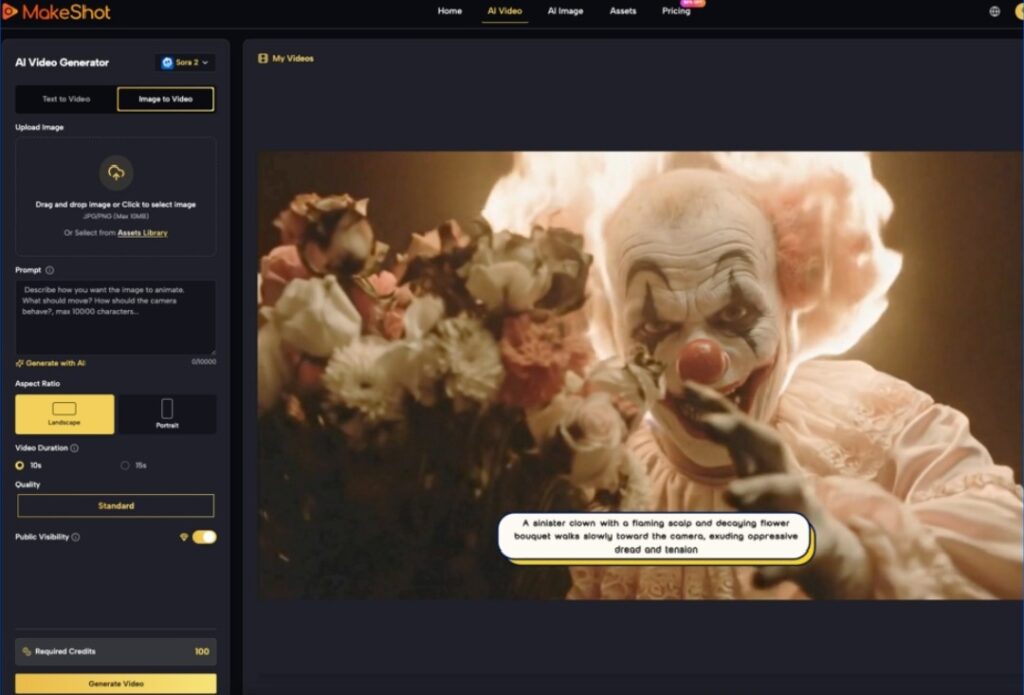

The transition from static image generation to motion is rarely a linear upgrade. For content teams, the challenge isn’t just making something move; it is making it move with purpose. When we talk about “motion control” in the context of a modern AI Video Generator, we are discussing the tension between the model’s internal physics and the operator’s intent. For a long time, the industry was stuck in a “prompt and pray” cycle where a prompt like “cinematic pan” might result in a camera move, or it might just result in the subject drifting toward the edge of the frame.
Today, the workflow has shifted. We are seeing a move toward orchestration—where the operator uses specific parameters to isolate camera movement from subject motion. This distinction is critical. If you cannot decouple the movement of the lens from the movement of the person in the shot, you aren’t directing; you’re just observing an algorithm’s best guess.
The Mechanics of Camera Movement
In traditional cinematography, a camera move communicates subtext. A slow zoom-in builds tension; a lateral pan establishes scale. Replicating this in generative video requires understanding how different underlying models—whether it’s Kling, Runway, or Luma—interpret spatial coordinates.
Most high-end platforms now offer “Camera Motion” sliders or directional brushes. These aren’t just aesthetic filters; they are instructions to the latent space to prioritize certain pixel shifts over others. For instance, increasing the “Horizontal” value while keeping “Vertical” at zero tells the model to simulate a dolly track.
However, there is a visible limitation here: the “background smear.” Because the AI is essentially “inpainting” the edges of the frame as the camera moves, high-speed camera pans often result in a loss of texture detail in the background. If you are using an AI Video Generator for professional-grade assets, the current best practice is to keep camera motion values between 3 and 5. Anything higher typically breaks the perspective, leading to “impossible” geometry where walls bend or horizons curve unnaturally.
Isolating Subject Motion from the Environment
The most difficult task for any operator is ensuring the subject moves without the entire world moving with them. We’ve all seen the clips where a person walking down a street causes the buildings behind them to melt or expand. This happens because the model struggles to differentiate between “object motion” and “frame motion.”
To mitigate this, sophisticated creators are moving toward an image-to-video (i2v) workflow. By starting with a high-fidelity static image—perhaps generated via Flux or Midjourney—you provide the model with a “ground truth” for the environment. When you then apply motion prompts, you are asking the AI to animate specific pixels rather than dreaming up the entire scene from scratch.
The Role of Motion Buckets
Different models use different terminology, but the concept of a “Motion Bucket” or “Motion Scale” is universal. This value controls the intensity of movement within the frame.
- Low Scale (1-3): Ideal for “living portraits,” where only hair or cloth should move.
- Medium Scale (4-7): Suitable for walking, talking, or hand gestures.
- High Scale (8-10): Reserved for high-action sequences like explosions or fast-paced sports.
One uncertainty that persists is how these scales interact with specific prompts. A “Motion Scale of 8” with the prompt “a flower blooming” will yield very different results than the same scale with the prompt “a car racing.” The model’s training data heavily weights its interpretation of speed, meaning operators must balance the numerical value with descriptive verbs.
Maintaining Temporal Coherence Across Shots
Coherence is the “holy grail” of generative video. It refers to the ability of a character or object to remain visually consistent from frame 1 to frame 120. In early versions of these tools, characters would frequently “morph”—a person’s shirt might change color mid-stride, or their glasses might vanish.
Modern workflows solve this through seed consistency and reference frames. By using the same seed for variations of a shot, you anchor the AI’s noise pattern, making it more likely to retain the same textures. When working with an AI Video Generator, teams often generate four or five variations of the same motion path to find the one where the anatomy remains stable.
The “Uncanny Valley” of Physics
We must be honest about the current ceiling of this technology. While we can control the direction of movement, we still lack granular control over *physics*. If a character picks up a glass of water, the AI often struggles with the interaction between the hand, the glass, and the fluid. Often, the hand will simply merge into the glass. This is a primary area of limitation: complex interactions between two or more independent objects remain a gamble. If your script requires precise tactile interaction, AI might not be the primary tool for the job just yet; it remains better suited for non-contact motion or environmental atmosphere.
Pacing and Timing: Beyond the 5-Second Clip
Most AI video clips are short, usually between 4 and 10 seconds. This creates a pacing problem for longer narratives. If every shot has the same “energy” or motion speed, the final edit feels monotonous.
Operators shape pacing by varying the “frames per second” (FPS) settings during generation or using “slow-mo” prompts. A common technique is to generate a high-motion clip and then use traditional NLE (Non-Linear Editor) tools to time-remapping the footage. This hybrid approach—using AI for the raw motion and traditional tools for the timing—is currently the most viable path for commercial production.
Prompting for Pacing
Using temporal keywords is also effective. Instead of just “a man running,” using “a man sprinting, high-speed shutter, motion blur” provides the AI with stylistic cues that dictate how the frames should transition. Conversely, “slow-motion, 120fps feel, ethereal” tells the model to prioritize smooth transitions over aggressive pixel changes.
Workflow: From Concept to Controlled Motion
For a content team, the workflow generally looks like this:
- Asset Generation: Create a high-quality base image to define the character and setting.
- Motion Mapping: Use an AI Video Generator to apply specific camera paths (e.g., “Orbit Left” or “Zoom Out”).
- Iteration: Generate multiple seeds to check for “limb flickering” or “background warping.”
- Upscaling: Once the motion is locked, use a temporal upscaler to add detail without changing the movement.
This iterative process is where the “operator” truly earns their title. It is no longer about typing a sentence; it is about managing a pipeline of variables.

Navigating the Limitations of Real-World Physics
There is a recurring issue with “weight.” AI-generated characters often look like they are floating or sliding across the ground rather than walking on it. This “moonwalk” effect happens because the model doesn’t inherently understand gravity or friction; it only understands the visual patterns of movement.
To fix this, operators often have to “cheat” the shot. Using a “Close-up” or “Medium Shot” instead of a “Full Body Shot” hides the feet, where the physics break most often. By limiting the visible frame, you reduce the number of points where the AI can fail. This is a practical judgment call: knowing what not to show is just as important as the prompt itself.
Another area of uncertainty involves lighting consistency. If a character moves from a shadow into a light source, the AI sometimes fails to recalculate the highlights on the skin or clothing realistically. The light often appears “baked-in” to the texture rather than reacting to the environment. Operators must be cautious when prompting for complex lighting changes within a single motion path.
The Future of Directed Motion
We are moving toward a future where “Motion Brushes” will allow us to paint specific areas of a frame and assign them independent vectors. Imagine painting a river and telling it to flow “Down and Right” while painting a character and telling them to “Stay Static.”
This level of granular control is already appearing in beta features across various platforms. It shifts the role of the AI from being the “creator” to being the “rendering engine.” The human provides the spatial logic, and the AI provides the visual realization.
Practical Advice for Teams
If your team is just starting to integrate these tools, the best approach is to avoid “The One-Shot Fallacy.” Do not expect a single prompt to produce a production-ready 10-second clip. Instead, aim for 2-second “micro-actions” that can be stitched together.
Focus on mastering one type of motion at a time. Spend a week mastering “The Dolly Zoom.” Spend the next week mastering “Natural Foliage Movement.” By breaking down the capabilities of the AI into specific maneuvers, you build a library of “moves” that can be deployed reliably across different projects.
The current state of generative video is a bridge between the total randomness of the past and the total control of the future. By treating the generator as a camera rig rather than a magic wand, operators can produce work that doesn’t just look “AI-generated,” but looks intentionally directed. The goal isn’t to let the AI take the wheel; it’s to give the AI a very specific map and a strict speed limit.