

Creative work often slows down not because people lack ideas, but because every idea asks for too much setup. This is especially true with music. A creator may know exactly what a project should feel like, yet still delay the audio side because producing even a rough draft takes too much energy. That is why platforms like AI Music Generator are becoming more interesting. They do not simply generate sound. They change when creative decisions become possible.
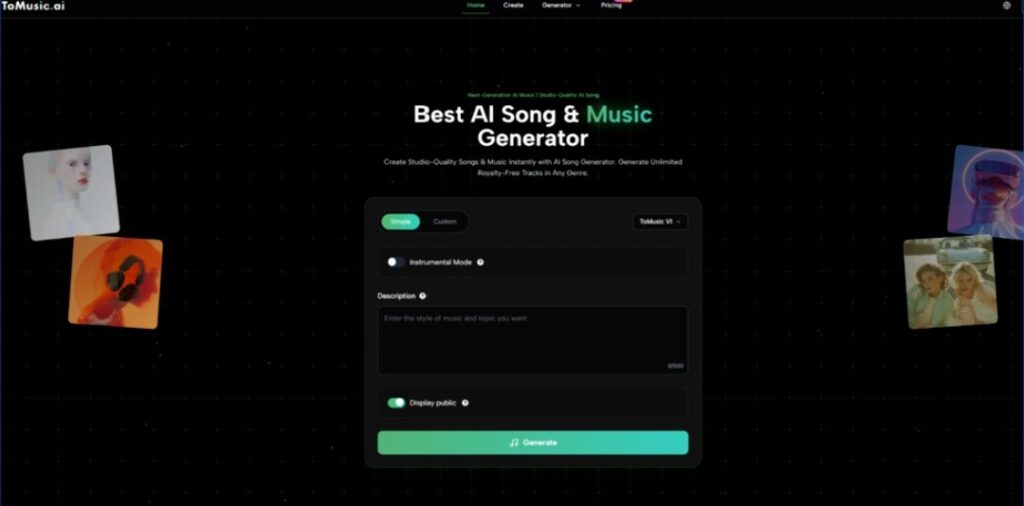
ToMusic is a good example of that shift because the homepage places generation at the center of the experience. You can see the key controls immediately: Simple and Custom modes, model selection, Instrumental Mode, a description field, and a generate action. In other words, the platform does not begin with editing complexity. It begins with a prompt and a choice.
That design matters because it allows people to evaluate ideas earlier. Instead of spending a long time preparing the conditions for a first draft, they can reach the first draft sooner and make better decisions from something audible rather than something hypothetical.
Why The First Draft Is The Real Creative Threshold
A lot of creative momentum depends on crossing the first-draft barrier. Once there is something to hear, revision becomes easier. Taste becomes more concrete. Collaboration becomes more practical. Before that point, everything stays abstract.
Why Music Is Harder To Imagine Than To Edit
Many creators can revise a track more easily than they can imagine one from silence. The challenge is getting something real enough to react to. A prompt-based generation tool helps because it collapses the distance between concept and example.
Why ToMusic Feels Built For Early Validation
The homepage language focuses on instant generation, studio-quality output, and royalty-free tracks. Whether every result feels final is not the main point. What matters is that the platform appears designed to get users to a playable outcome quickly. That is valuable because fast feedback changes the way people choose.
Why This Especially Helps Multi-Project Creators
People who work across campaigns, videos, content calendars, or experimental ideas often need several usable drafts more than they need one perfect composition at the start. The ability to create and compare multiple directions can be more valuable than deeper control in the earliest stage.
How The Platform Supports Iteration Without Looking Heavy
One thing I appreciate about ToMusic’s public presentation is that it does not overcomplicate the visible workflow. The product appears to understand that the more decisions a user must make before hearing anything, the less likely they are to keep moving.
Simple Mode Supports Momentum
Simple mode lowers the emotional cost of trying. You can describe the desired result and move forward without needing to solve every stylistic detail first. That makes experimentation feel lighter and less precious.
Custom Mode Supports Sharper Authorship
Custom mode, by contrast, appears better suited for users who already know more about what they want. This might include people with stronger lyrical direction, clearer musical references, or a more defined role for the finished output. The value here is not that the workflow becomes more complicated. It is that the user gets more say in the framing.
Why The Product’s Public Examples Matter
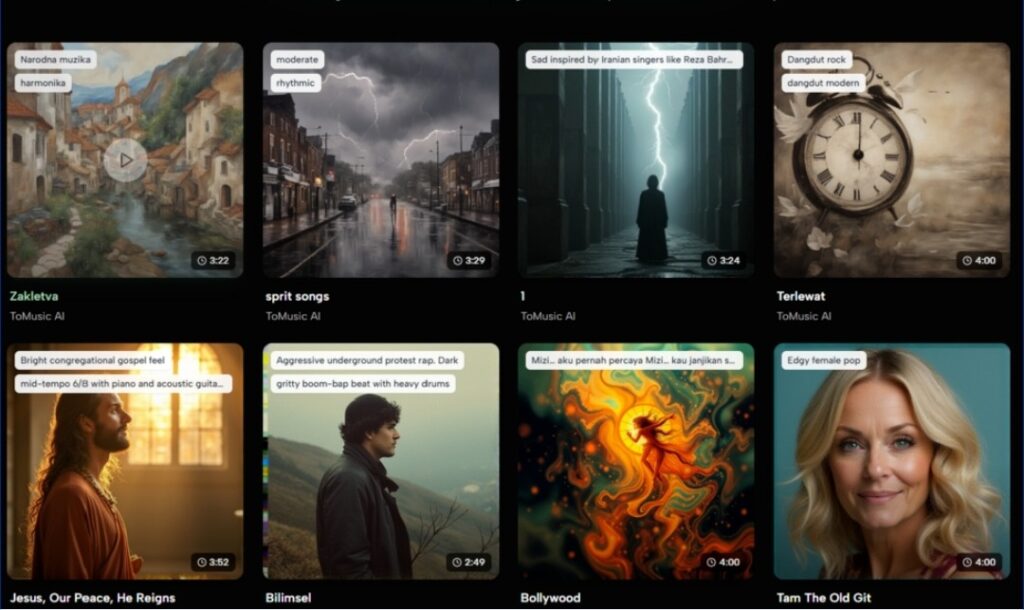
The homepage includes recent AI-generated tracks with names and durations. I think this is one of the more useful product decisions. Examples give potential users a better sense of what the system can already produce across different styles and lengths.
Visible Outputs Reduce Abstract Skepticism
AI products often sound more capable in copy than in practice. Showing recent generations helps narrow that gap. Users can judge variety, naming conventions, length, and overall creative range more concretely.
Examples Also Teach People How To Prompt Better
Another quiet advantage of visible outputs is that they help users understand the language of requests. When you see different kinds of generated music displayed publicly, it becomes easier to imagine how description, mood, and phrasing may influence results.
How The Real Workflow Can Be Explained Clearly
The homepage keeps the path to creation short enough that it can be described without guessing at hidden mechanics.
Step One Chooses The Creation Style
Begin by deciding between Simple mode and Custom mode. This establishes whether the session will emphasize speed or more deliberate structure.
Step Two Writes The Musical Brief
Enter a description of the music you want. This is where Text to Music becomes more than a slogan. It becomes a practical way of externalizing intent. For many users, written description is the fastest available bridge between idea and output.
Step Three Defines Whether Vocals Are Necessary
Use Instrumental Mode depending on the role the track should play. If the project needs atmosphere rather than lyrical focus, this choice can make the result more immediately useful.
Step Four Generates, Stores, And Revisits
Generate the track and treat the result as a decision aid. The homepage also mentions a discover library where creations can be saved, which suggests an iterative workflow rather than a one-time transaction. That is important because creative judgment often improves through comparison.
How ToMusic Frames Practical Value
The homepage highlights custom length and full control, advanced customization features, flexible pricing and licensing, and AI-powered smart creation. Those labels become more meaningful when translated into creator decisions.
| Product Signal | What It Suggests | Why It Helps |
| Custom length and control | Output can be shaped for different needs | Useful when projects need different pacing |
| Advanced customization | Users are not limited to a single generic path | Supports more deliberate creative direction |
| Flexible pricing and licensing | The tool is positioned for ongoing use | Better suited to repeated creation rather than one-off novelty |
| AI-powered smart creation | The system handles more of the generation burden | Lowers the effort required to get started |
| Discover library | Creations can be revisited later | Makes multi-version comparison easier |
This framing makes the platform feel less like a gimmick and more like an early-stage creative utility.
Why Licensing Still Influences Creative Confidence
Even when a track sounds good, a creator still needs to know whether it fits a real workflow. The homepage’s royalty-free language matters because it affects how confidently users can think about publishing, repurposing, and integrating what they generate.
Why Confidence Changes Creative Behavior
When creators believe an output can be used more practically, they are more likely to test ideas seriously. The result is not just more generation. It is better decision-making, because the draft has a plausible path into real use.
Why Better Drafts Do Not Eliminate Limits
Still, restraint is useful here. Tools like ToMusic can shorten the path to a first version, but they do not eliminate the need for discernment. A weak prompt may still produce a weak result. A promising result may still need multiple attempts before it truly fits the project. Faster drafting is not the same thing as automatic taste.
Why Language Is Becoming A Legitimate Production Layer
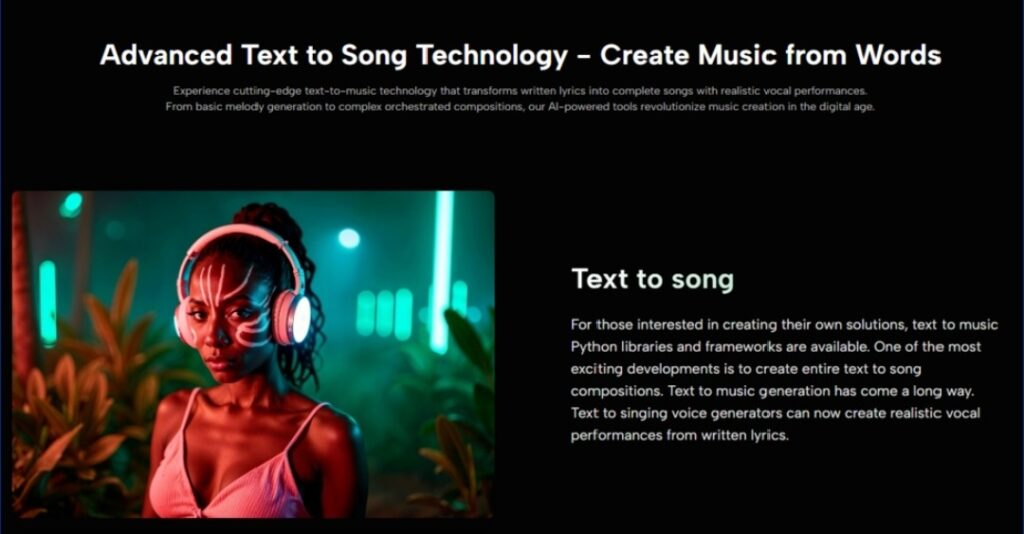
That is why the rise of Lyrics to Music AI feels significant beyond any one feature set. It suggests that written language is increasingly functioning as a production layer in its own right. Not a replacement for every musical skill, but a valid and productive way to direct creation.
ToMusic is compelling because it builds around that idea in a visible, approachable form. It lets creators begin where many of them naturally begin anyway: with a feeling, a phrase, a use case, or a rough concept. From there, the goal is not to pretend the first draft will always be perfect. The goal is to reach that draft soon enough that better creative choices can start happening while momentum is still alive.